Coming soon · Early access
Know before it renews.
recurr.fyi watches every renewal — software, suppliers, insurance — and tells you what you can still change, and by when. Join the waitlist to get early access.
No spam. One email when access opens.
See it before you need it
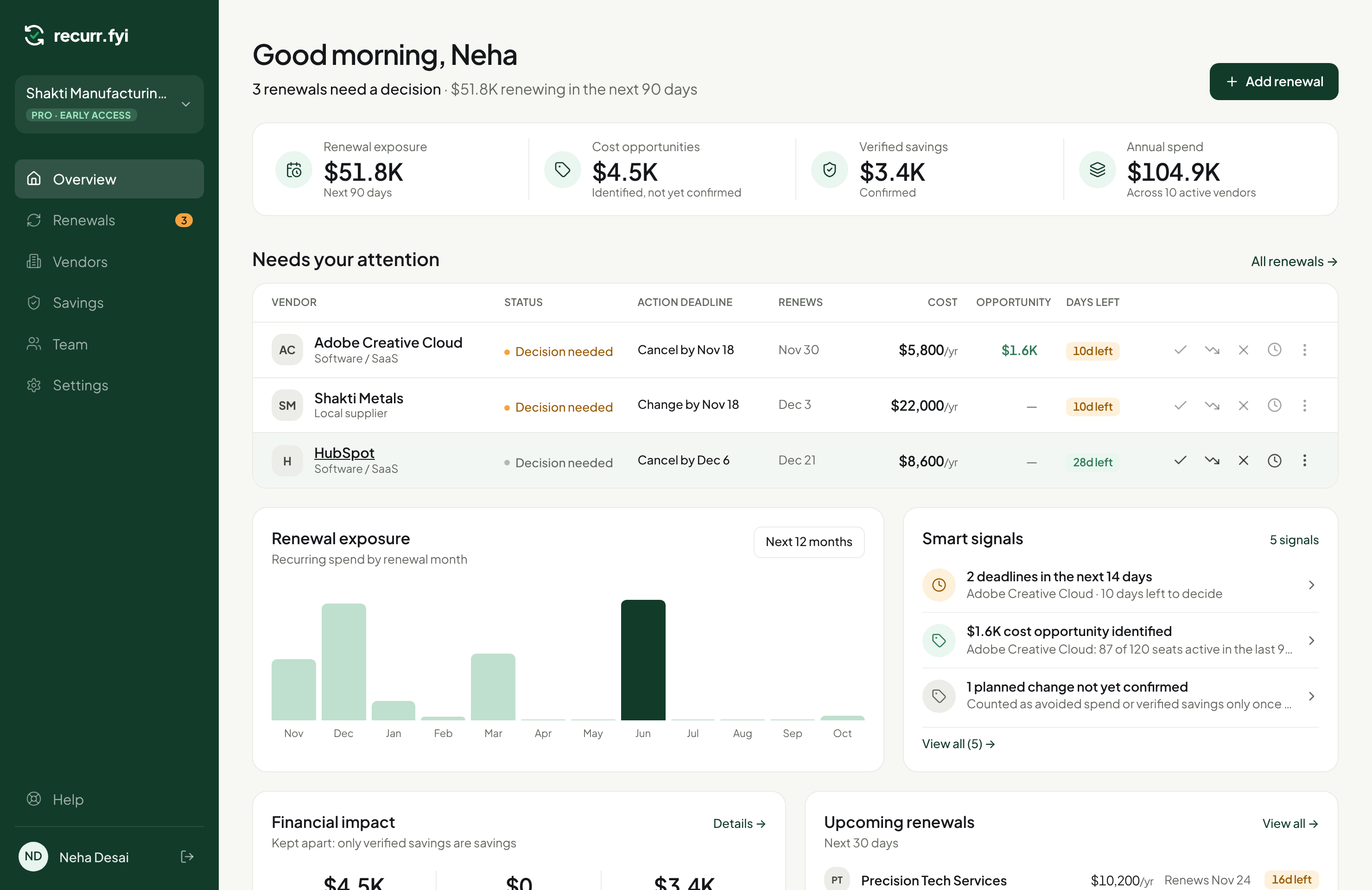
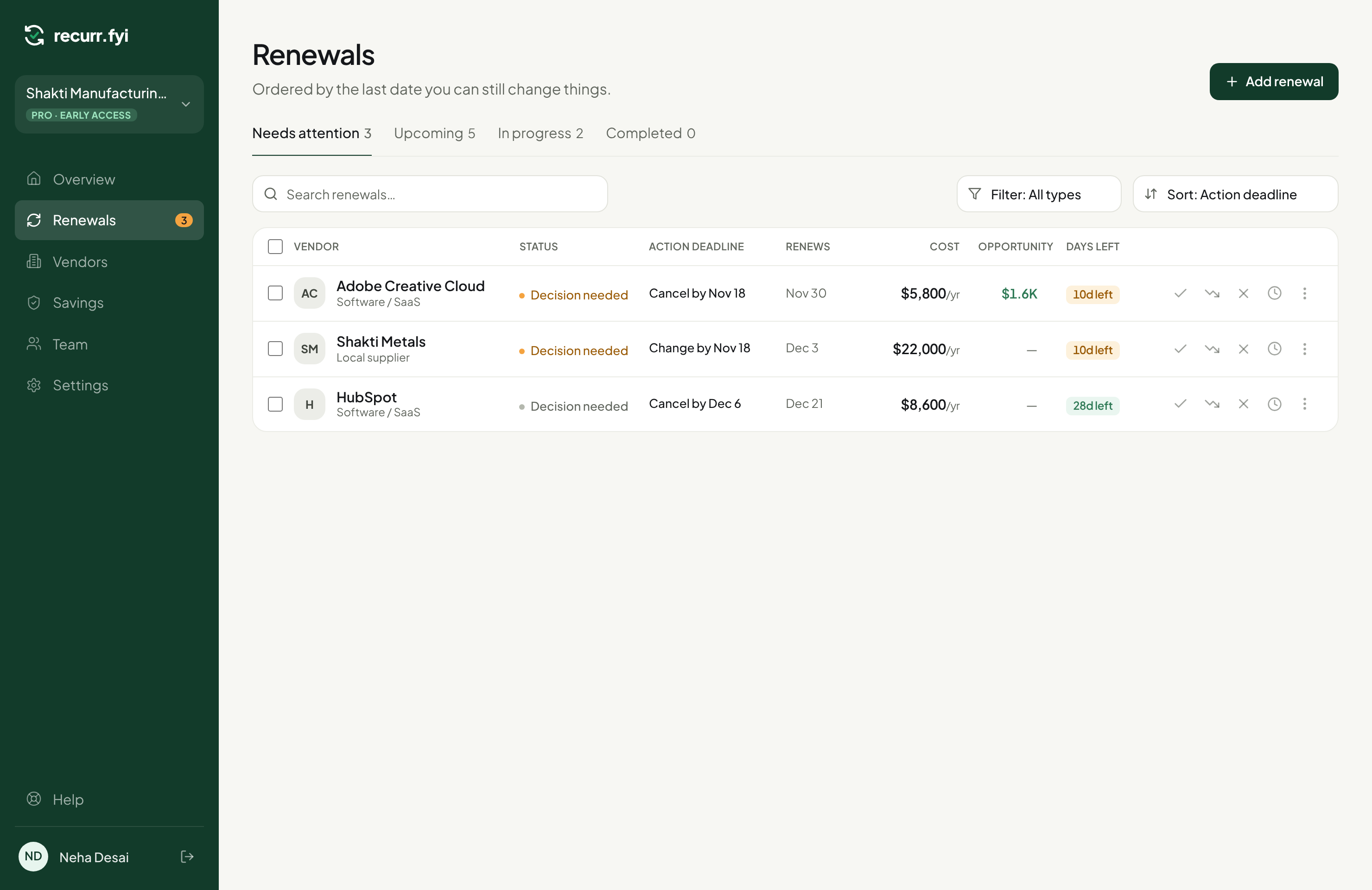
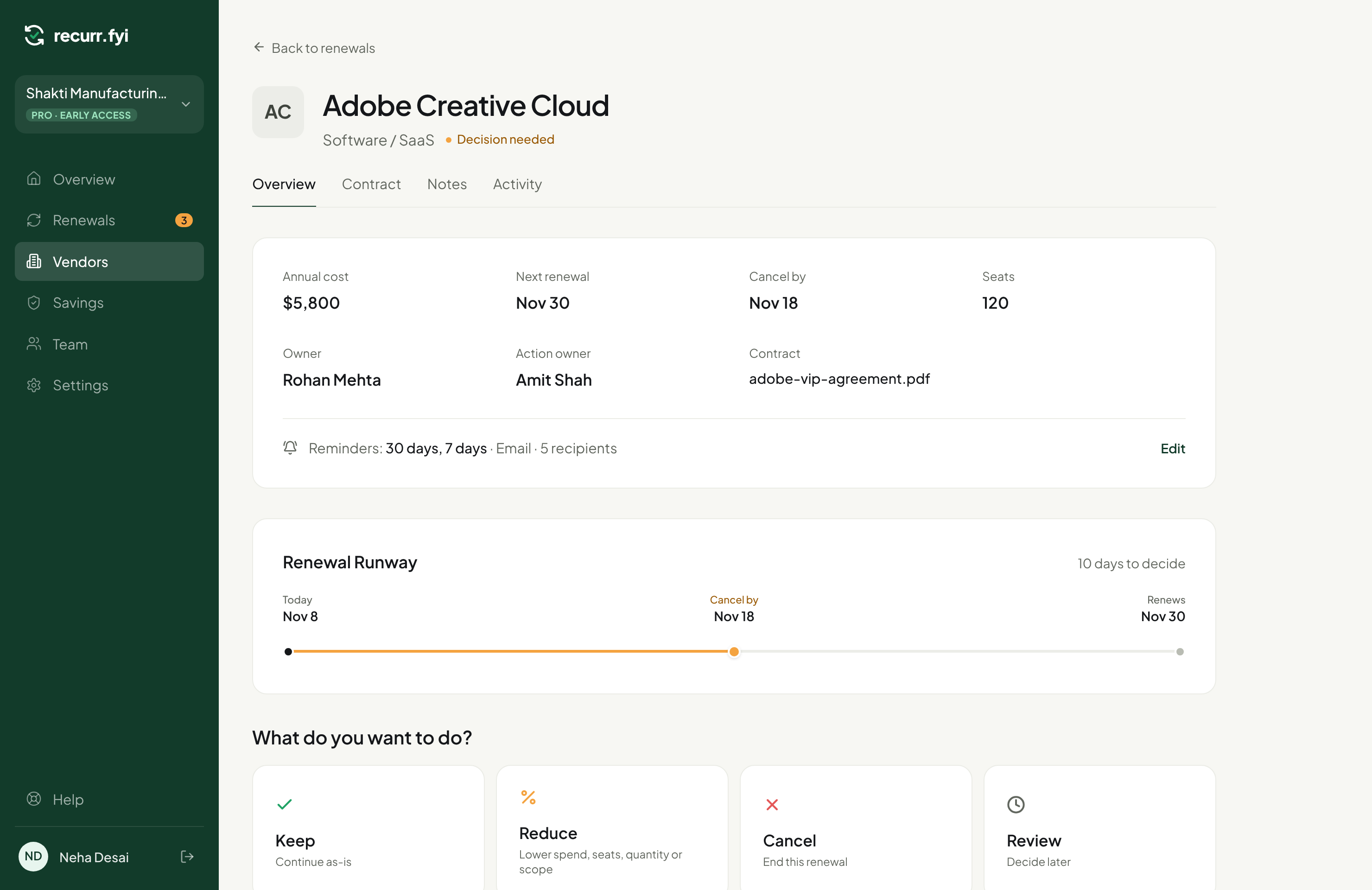
A real workspace, not a mockup — this is recurr.fyi today.
Why teams are waiting for this
Never miss a cancel-by date
Every renewal gets a Renewal Runway: today, the last day you can still change it, and when it renews. No more spreadsheets with silently expired deadlines.
Decide in one click
Keep, Reduce, Cancel or Review later — right from the list. Each one starts the right lightweight workflow instead of a form you have to hunt for.
Opportunities, not fake savings
We never call a cancellation a saving. You get honest cost opportunities, avoided spend, and verified savings — kept separate, always.
Built for teams, not just you
Assign an owner, forward renewal emails in, and get reminders before the deadline — so nothing depends on one person remembering.
Frequently asked questions
What exactly is recurr.fyi?+
A renewal tracker for every recurring cost your company pays — software, suppliers, insurance, leases. It tells you what's coming up, the last date you can still change it, and what decision you've made, so renewals never slip through on autopilot.
How is this different from a spreadsheet or calendar reminder?+
A spreadsheet tells you a date. recurr.fyi tells you the date that actually matters — the cancel-by deadline, not just the renewal date — and lets you act on it (Keep, Reduce, Cancel, Review later) in one click, with the decision and its outcome tracked automatically.
Do you connect to my email or bank to find renewals automatically?+
You can forward a renewal email to your workspace's unique address and we'll pull out the vendor, cost and date for you to confirm. We don't connect to your inbox or bank account, and we never act on an email without you reviewing it first.
How do you calculate savings?+
We don't inflate the number. Cancelling something is an avoided future cost, not a saving, until you've actually confirmed a lower price. We show three separate numbers — cost opportunities (unconfirmed ideas), avoided spend (future cost that won't happen), and verified savings (a confirmed before/after price drop) — so you always know what's real.
Is it just for companies, or can I use it for personal subscriptions too?+
Both. A personal plan tracks your own subscriptions for free. A company workspace adds teammates, owners per renewal, and reminders to the people who need to act.
When do I get access, and what does it cost?+
We're opening access gradually, in order of the waitlist. Early members get a free period on a Pro workspace to try it with their real renewals before any paid plan kicks in.
Get in before it's open to everyone
Early waitlist members get first access and a free period on a Pro workspace.